
RapidPad typically just runs in the background, waiting for you to use your dedicated number-pad.

AutoCAD Support
RapidPad installs an AutoCAD plugin that allows tight integration with AutoCAD command handling. When the RapidPad app starts up it will try to install the plugin, if not already installed.
Start AutoCAD, and you should notice the text “Successfully connected to RapidPad…” in the command prompt.
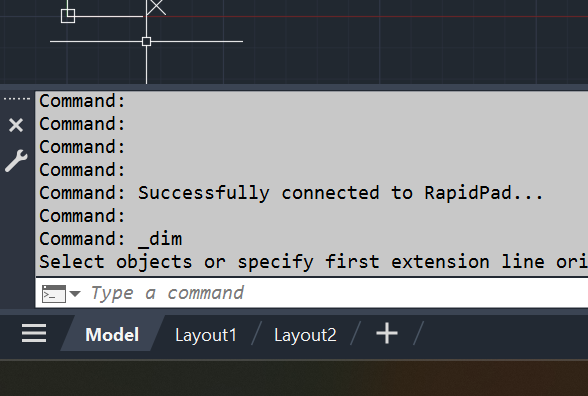
RapidPad comes configured with some commands already. Try pressing 55 on your keypad and you should see the Line command triggered.
Learn more about how to configure AutoCAD commands here.
Revit Support
RapidPad also installs a Revit plugin that allows tight integration with starting Revit commands. When the RapidPad app starts up it will try to install the plugin, if not already installed.
Start Revit, and try pressing 55 and you should notice Revit starts the “Wall: Architectural” command.